
Step by Step Overview
This view is the main summary page for the management company. It provides a date-based view of firm-wide activity across funds, assets under management, investors, compliance exposure, notifications, and portfolio performance.
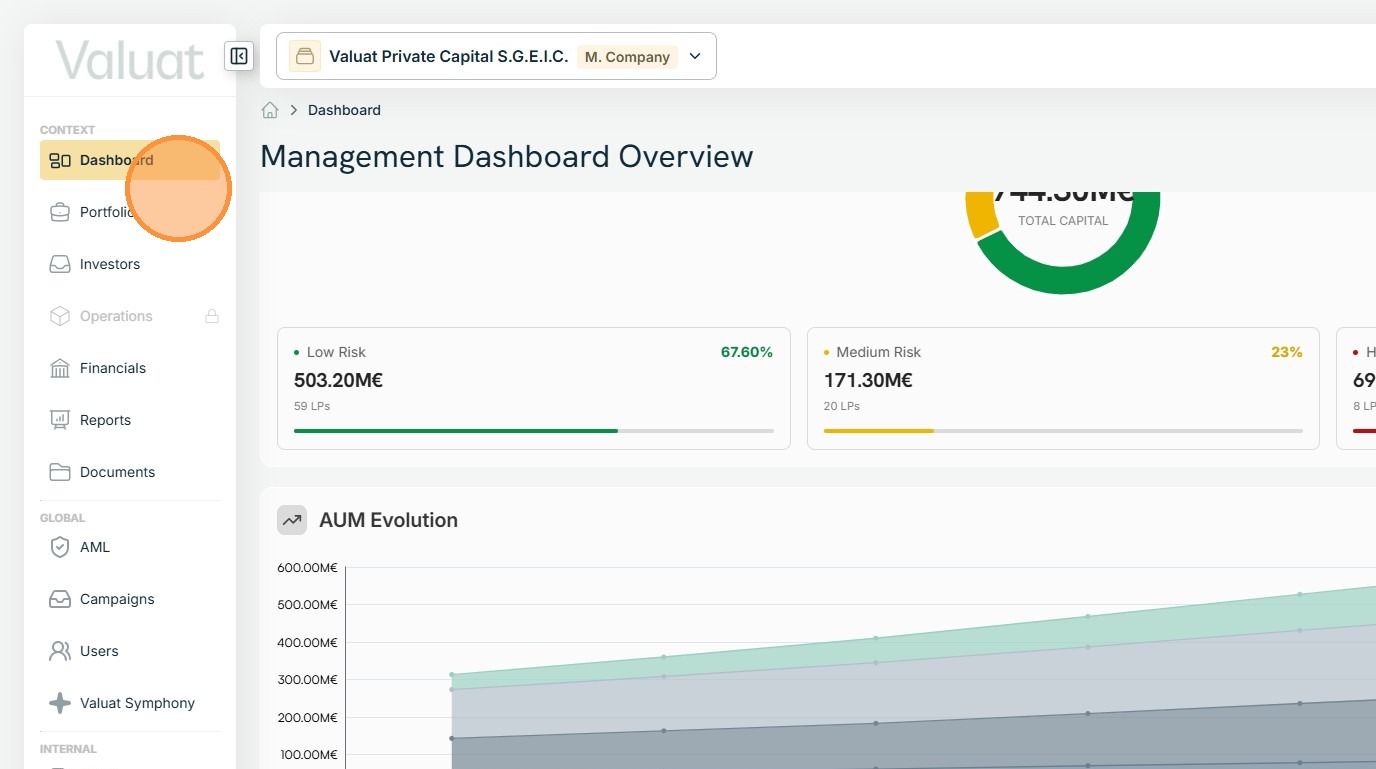
1. The Management Company Dashboard is the main summary page for the management company. It provides a date-based view of firm-wide activity across funds, assets under management, investors, compliance exposure, notifications, and portfolio performance so users can review the overall state of the management entity in one place.
On the left-hand side, the page includes management-company navigation for Dashboard, Portfolio, Investors, Operations, Financials, Reports, and Documents.
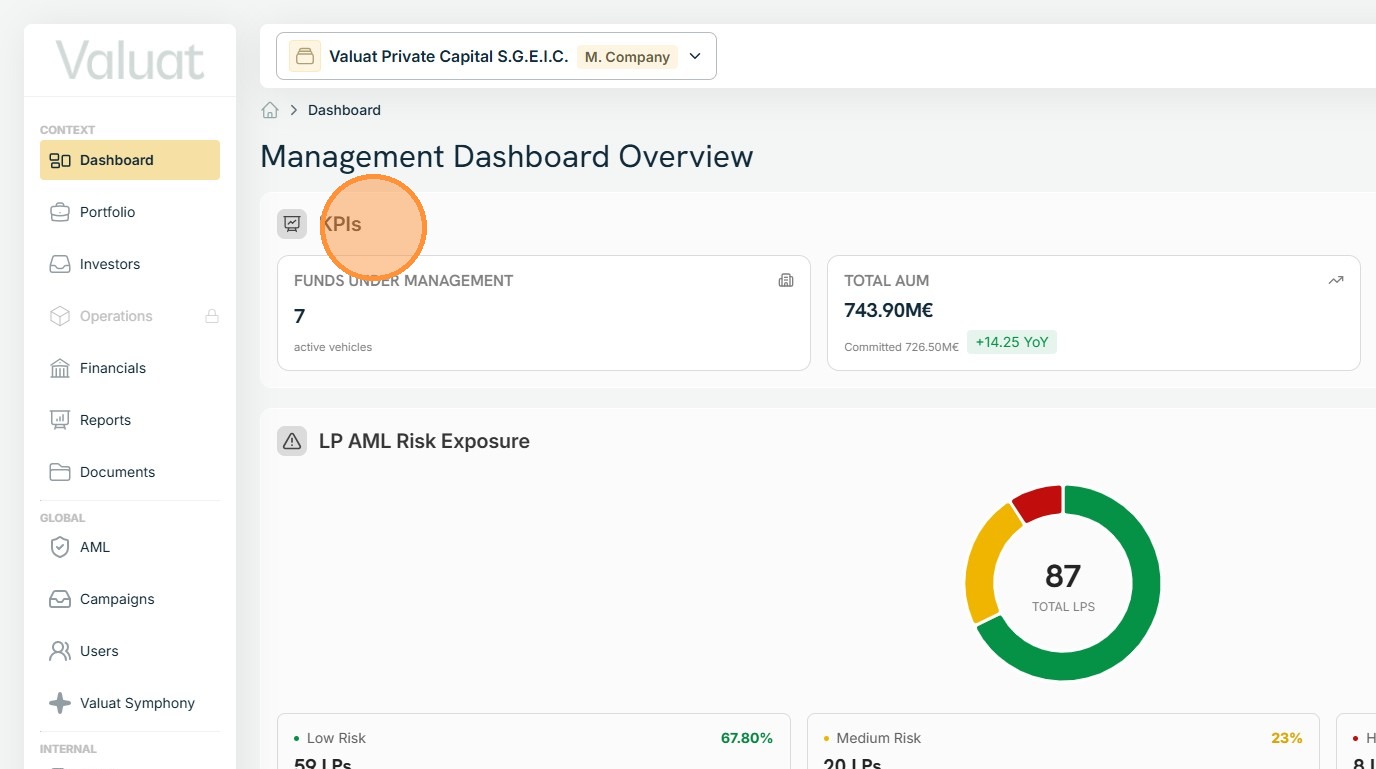
2. Visible here is the KPIs section that provides headline management-company metrics: Funds Under Management, Total AUM, Portfolio Companies, Active Investors, and Average Portfolio Age.
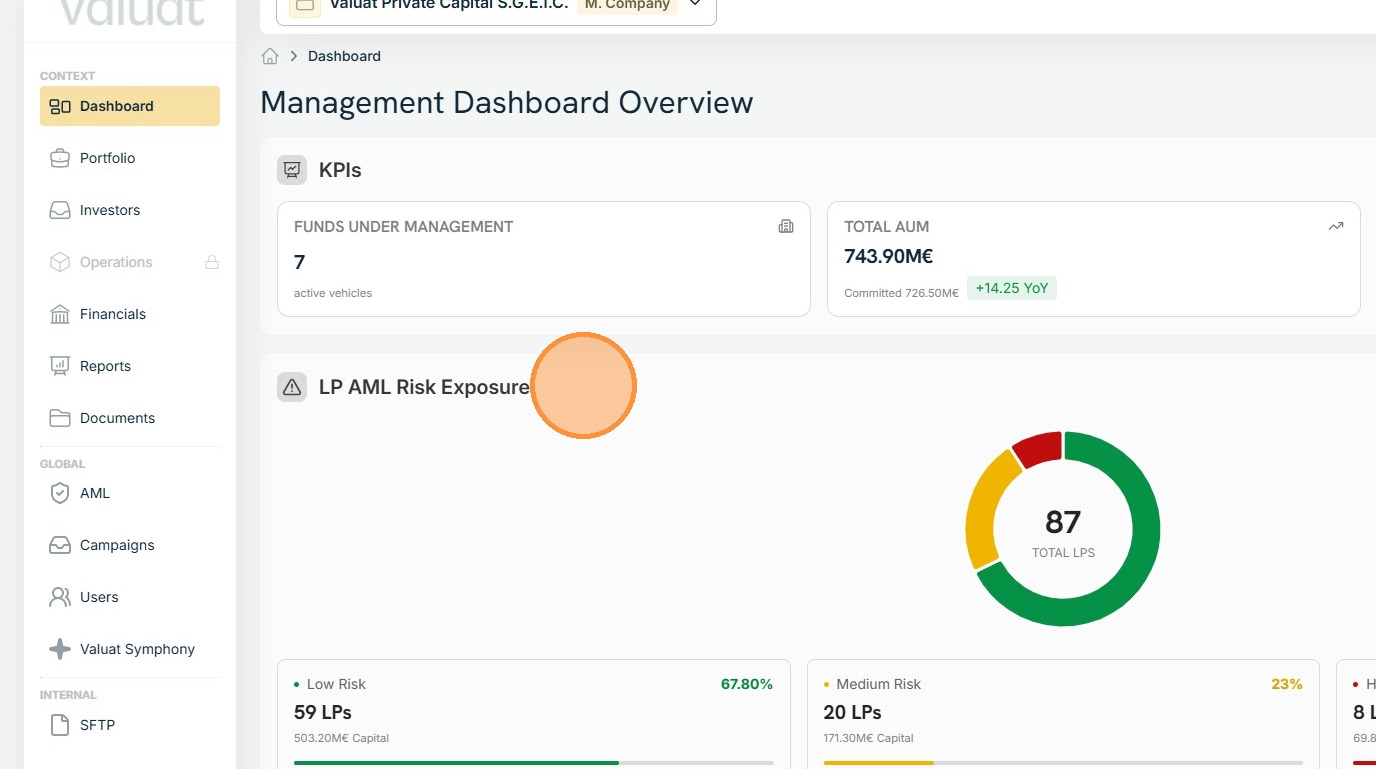
3. The LP AML Risk Exposure section summarises investor AML risk segmentation across all LPs.
It breaks the population into Low Risk, Medium Risk, and High Risk categories, showing both LP counts and associated capital exposure for each category.
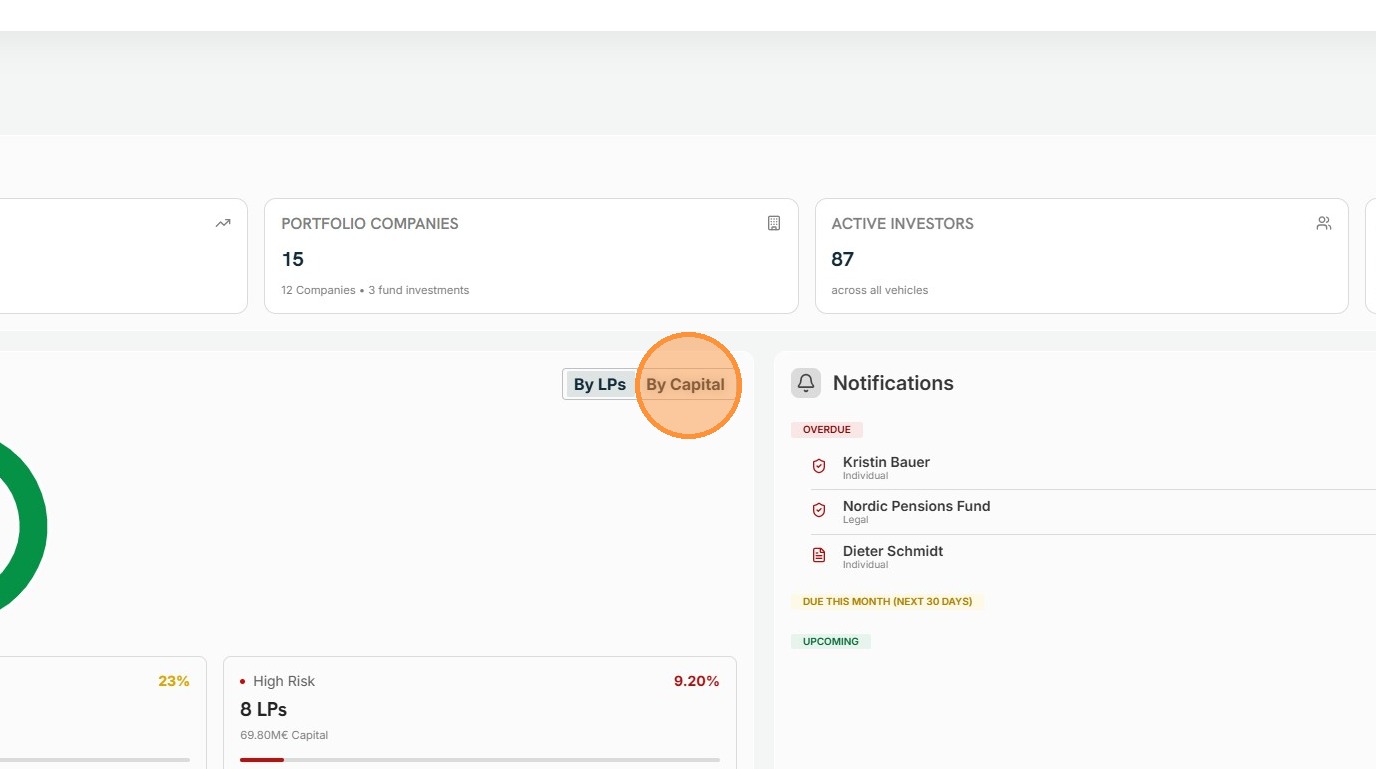
4. The default view segments LP AML Risk Exposure By LPs.
The exposure can also be viewed By Capital.
5. The Notifications quadrant highlights items that require operational follow-up.
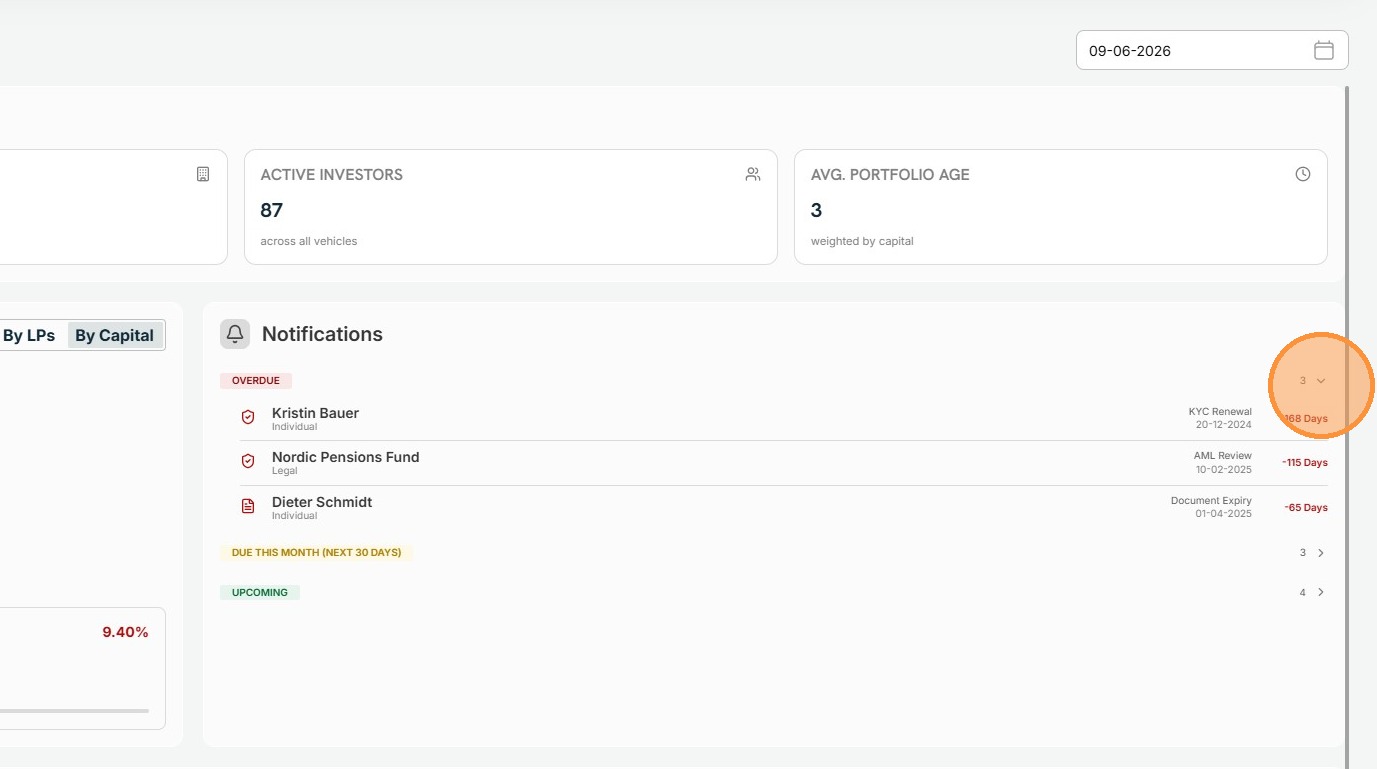
It separates notifications into Overdue, Due This Month, and Upcoming. Examples of notifications include KYC renewal, AML review, and document expiry cases with named investors and due dates.
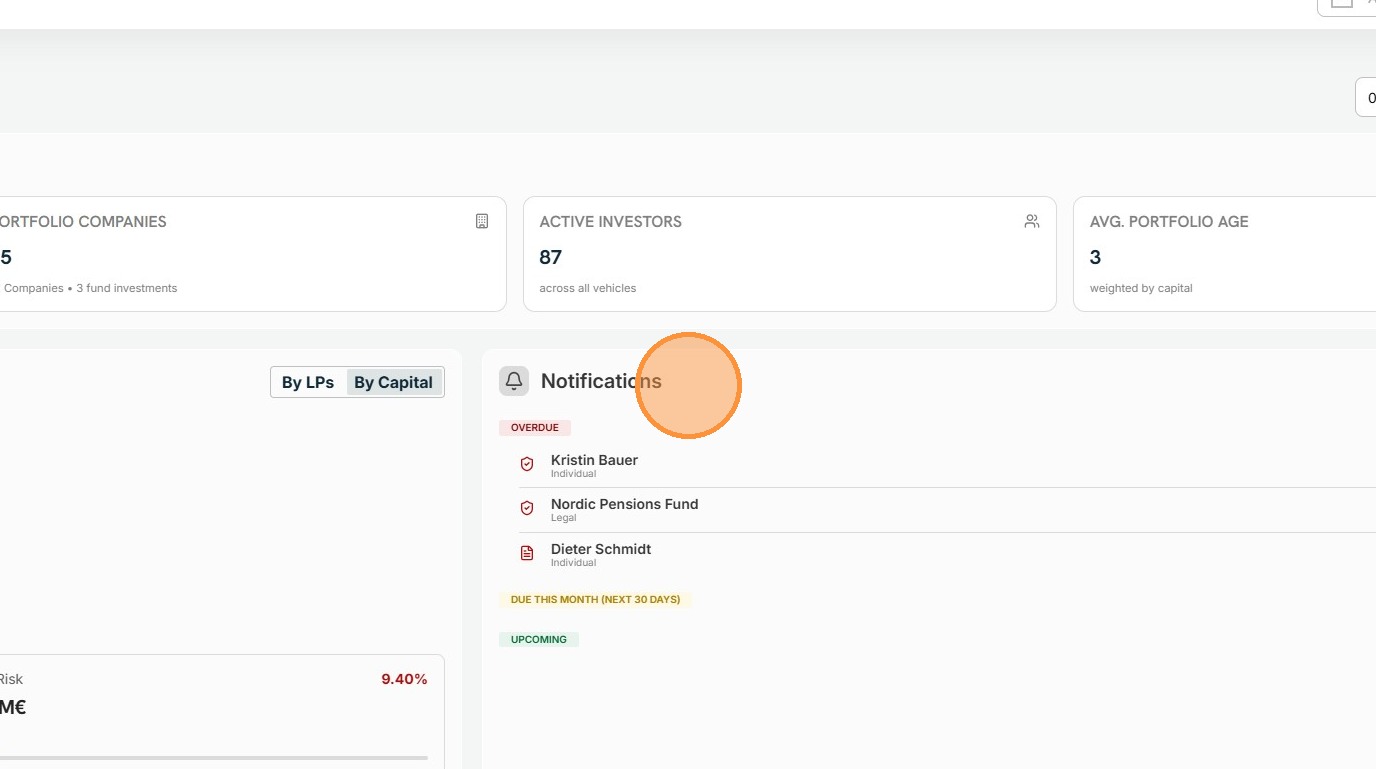
6. The platform Notifications groups can be expanded and collapsed.
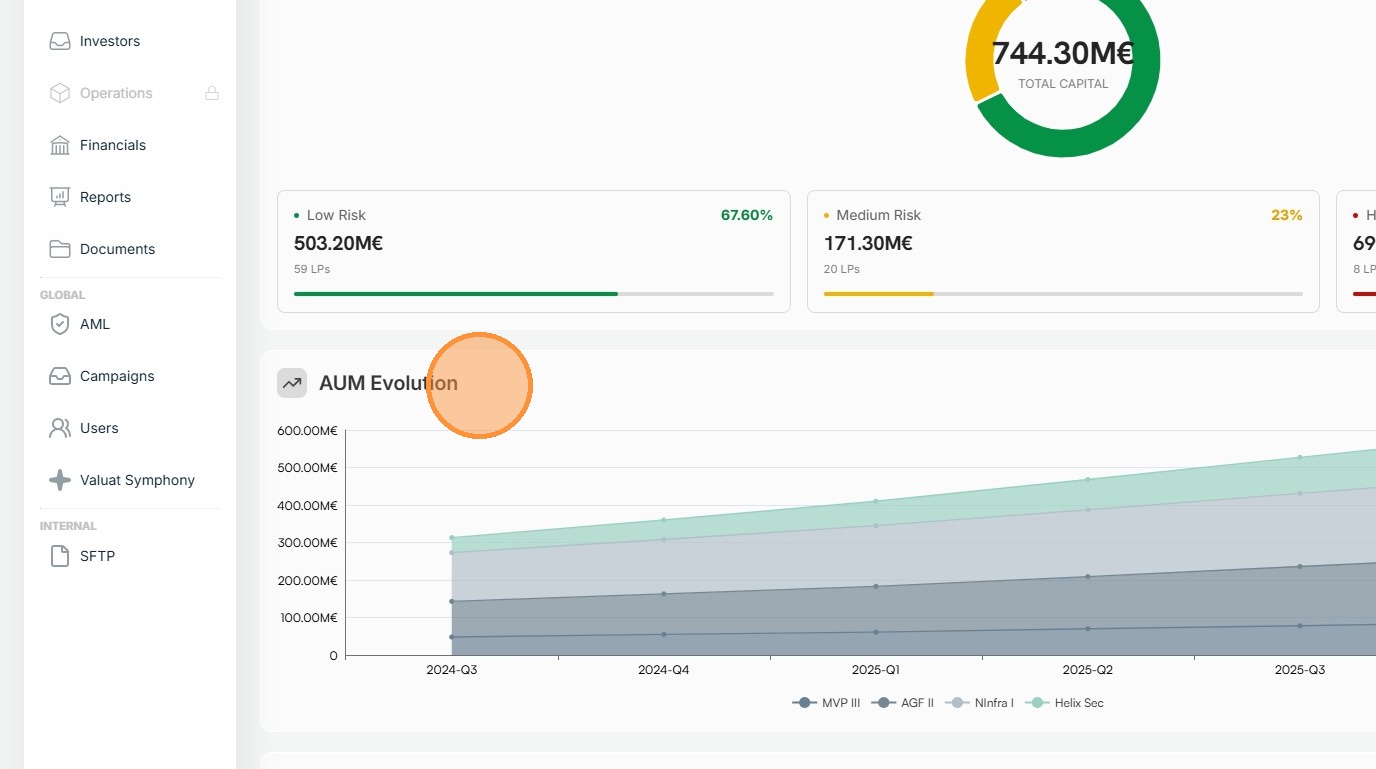
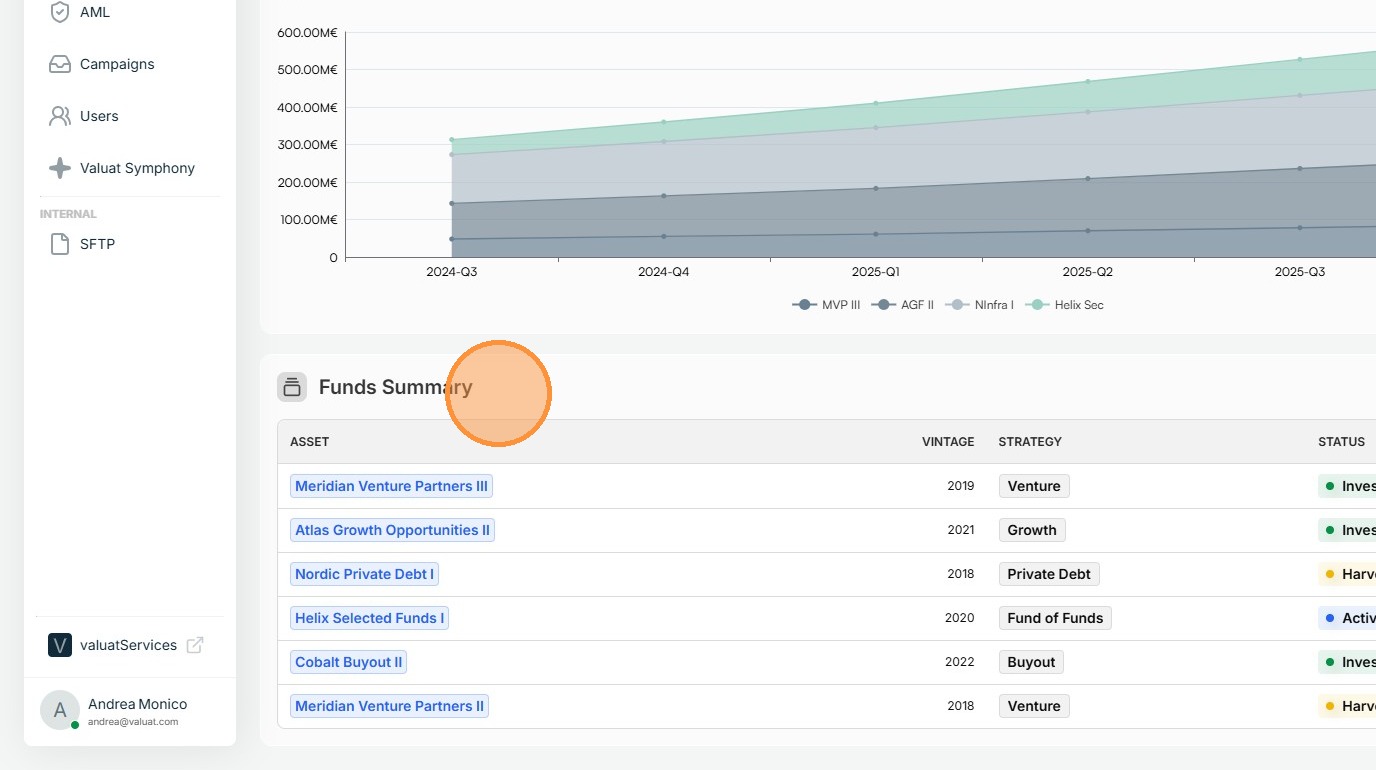
7. The AUM Evolution visual provides a time-series view of assets under management across reporting periods. It shows quarter-based commitment progression from inception to the selected date and includes vehicle-level series. Only the last six quarters are displayed.
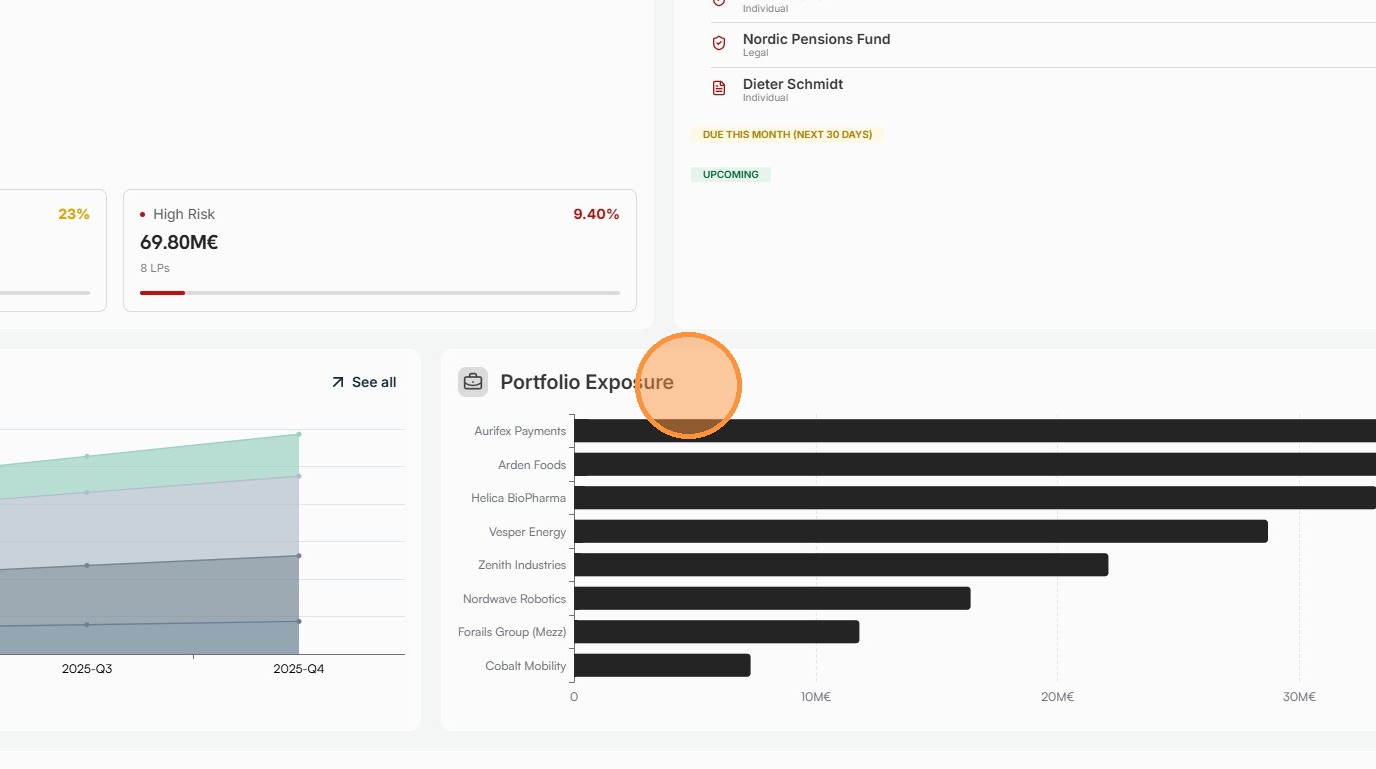
8. The Portfolio Exposure section shows concentration across portfolio holdings. It lists companies against an exposure scale in millions of euros.
9. The Funds Summary table provides a tabular overview of underlying vehicles.
Each row includes Asset, Vintage, Strategy, Status, Commitment, Target, Invested, Realized, NAV, Net IRR, and MOIC, allowing users to compare fund performance and stage side by side.
10. What users can do
Users can use this page to review the management company at portfolio-of-funds level instead of opening each vehicle separately. It is particularly useful for leadership, fund operations, and oversight workflows where the first goal is to identify concentration, performance shifts, investor risk, or overdue compliance items.
Users can move from this summary page into adjacent management-company areas such as Portfolio, Investors, Financials, Reports, and Documents. This supports common tasks such as validating an exception, opening a deeper financial view, checking investor records, or retrieving formal reporting outputs.
Users can also use the date field to understand that the dashboard reflects a specific reporting snapshot. This is important when comparing trends over time, reconciling reported figures, or confirming whether a recent operational update has already been incorporated.
11. Tips for users
- Start on this page when you need a fast management-company view across all funds rather than a single-vehicle review.
- Check the date field first so you know which reporting snapshot the KPIs, alerts, and tables refer to.
- Use Notifications as a prioritisation tool; overdue KYC, AML, and document tasks should usually be reviewed before broader analysis.
- Use LP AML Risk Exposure to spot concentration in higher-risk investor segments before opening detailed investor records.
- Use the Funds Summary table to compare vehicle maturity, deployment, realised value, NAV, and return metrics before drilling into individual funds.
- Use AUM Evolution and Portfolio Exposure together to understand both growth over time and concentration at company level.