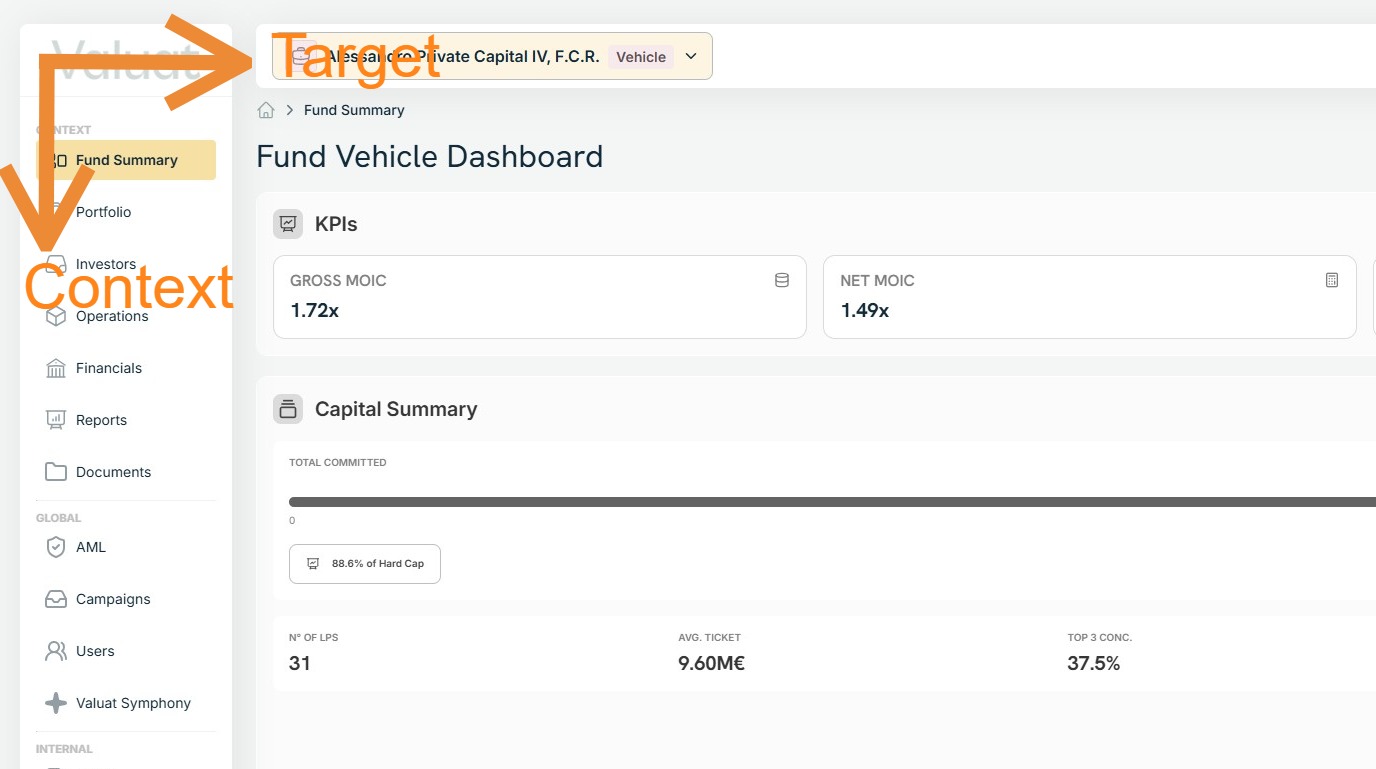
Navigate Valuat One
Follow these steps to see how to interact with the searchbox and left-hand-side menu.
1. The default landing page of the Valuat platform is the management company dashboard.
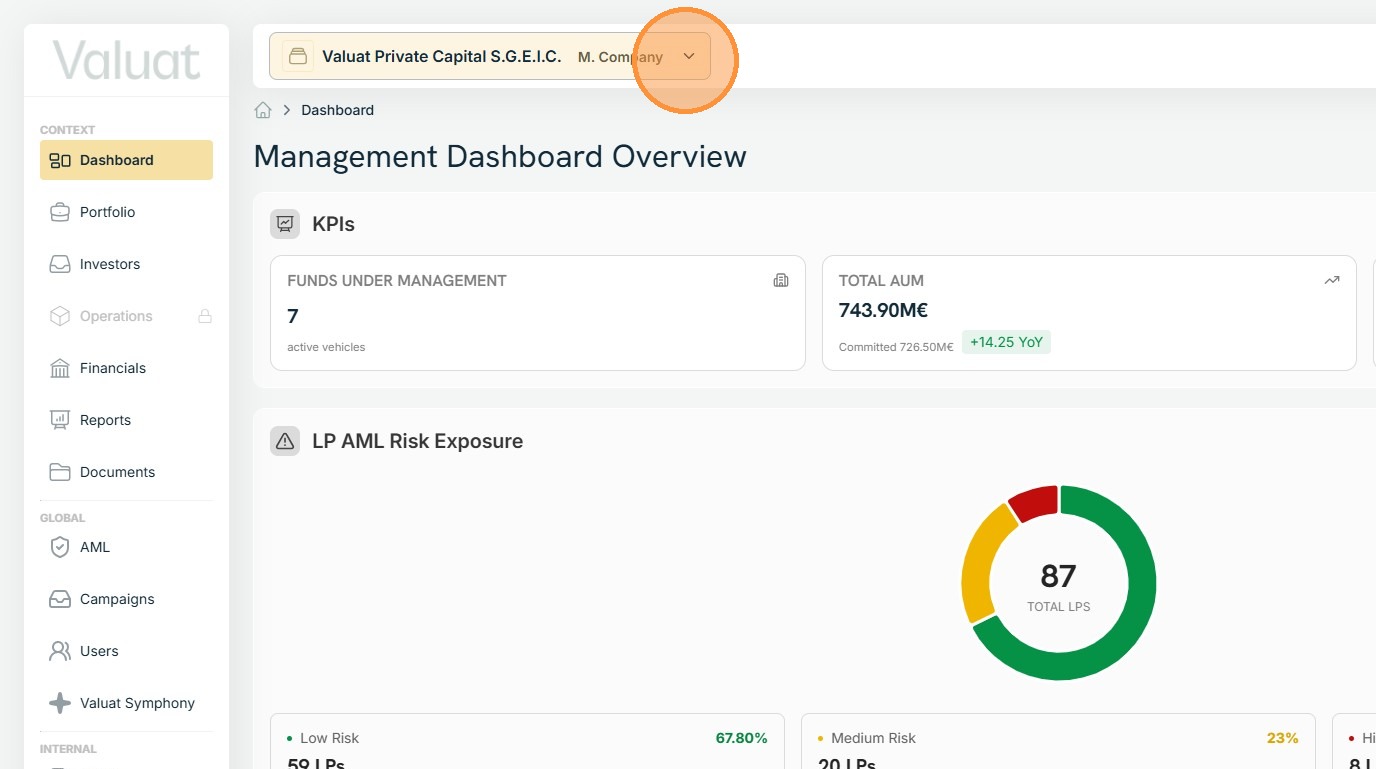
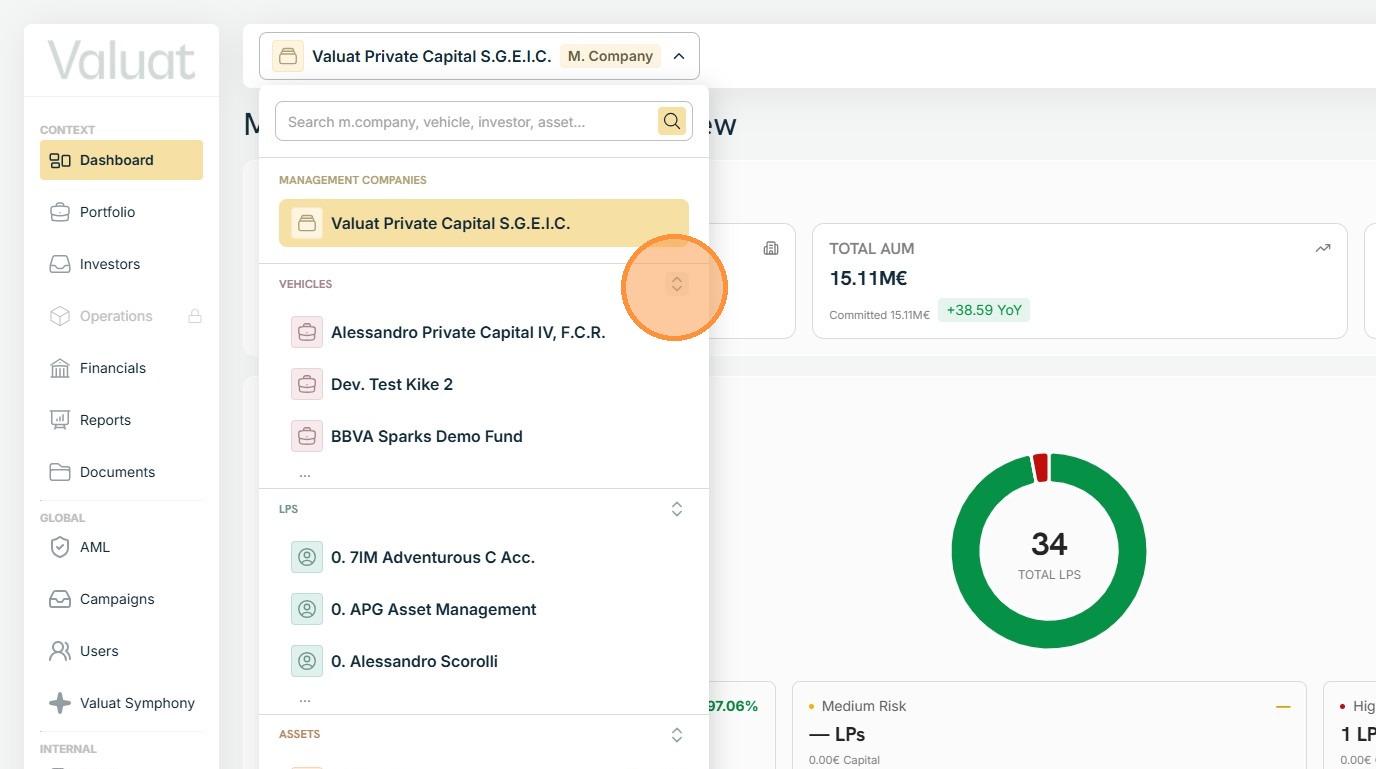
2. Your control panel is the selector at the top of the page. You use it to set the entity whose data will be shown.
You have the option to select from management companies, vehicles, investors, and assets.
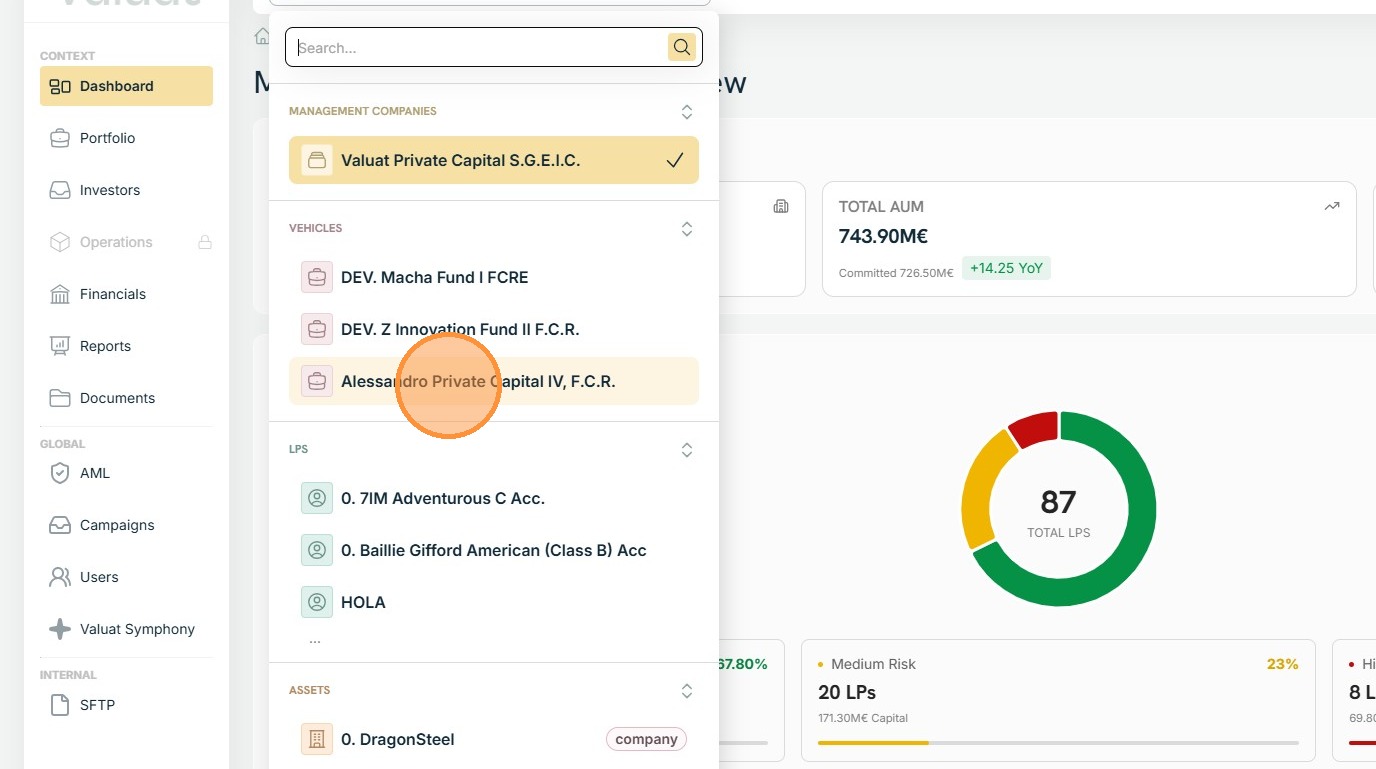
3. In each displayed category, the tool shows the three items with the most user interactions during the previous 7 days.
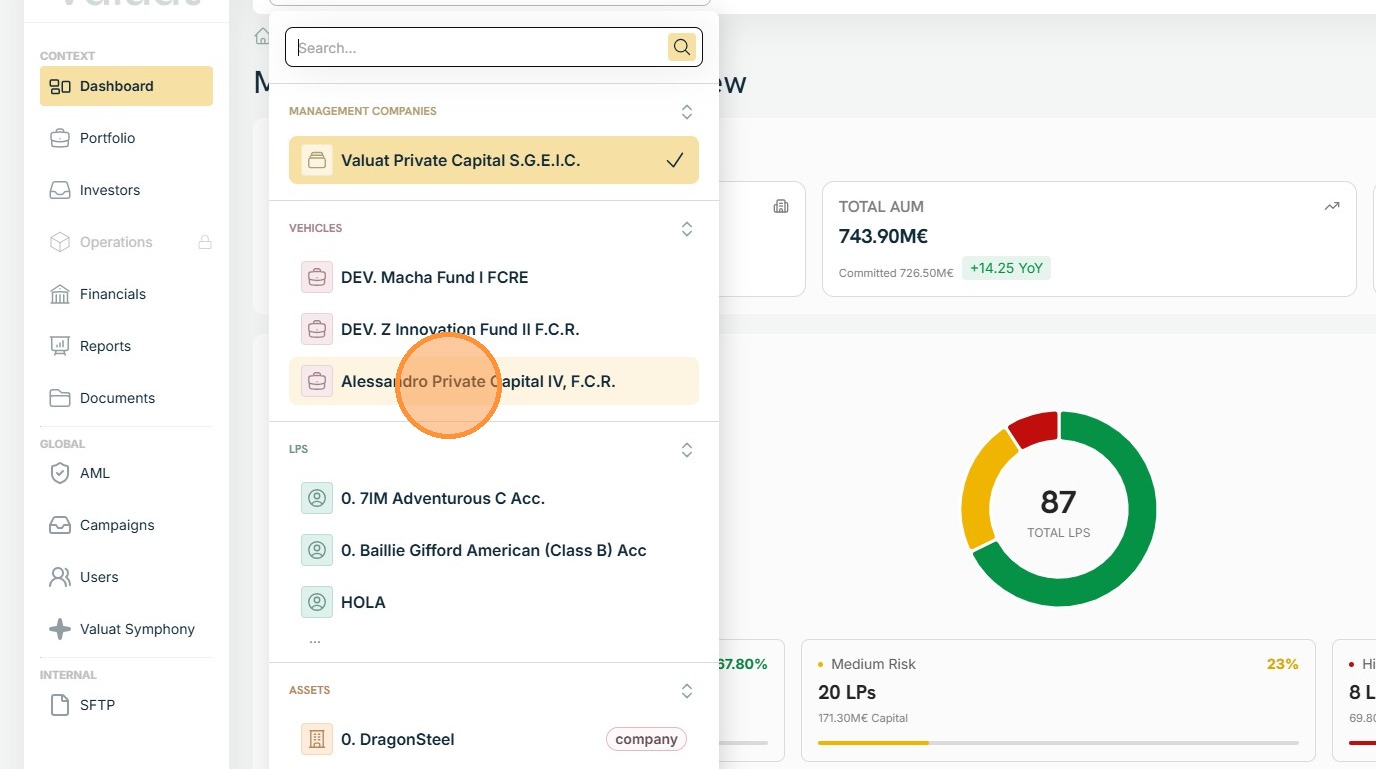
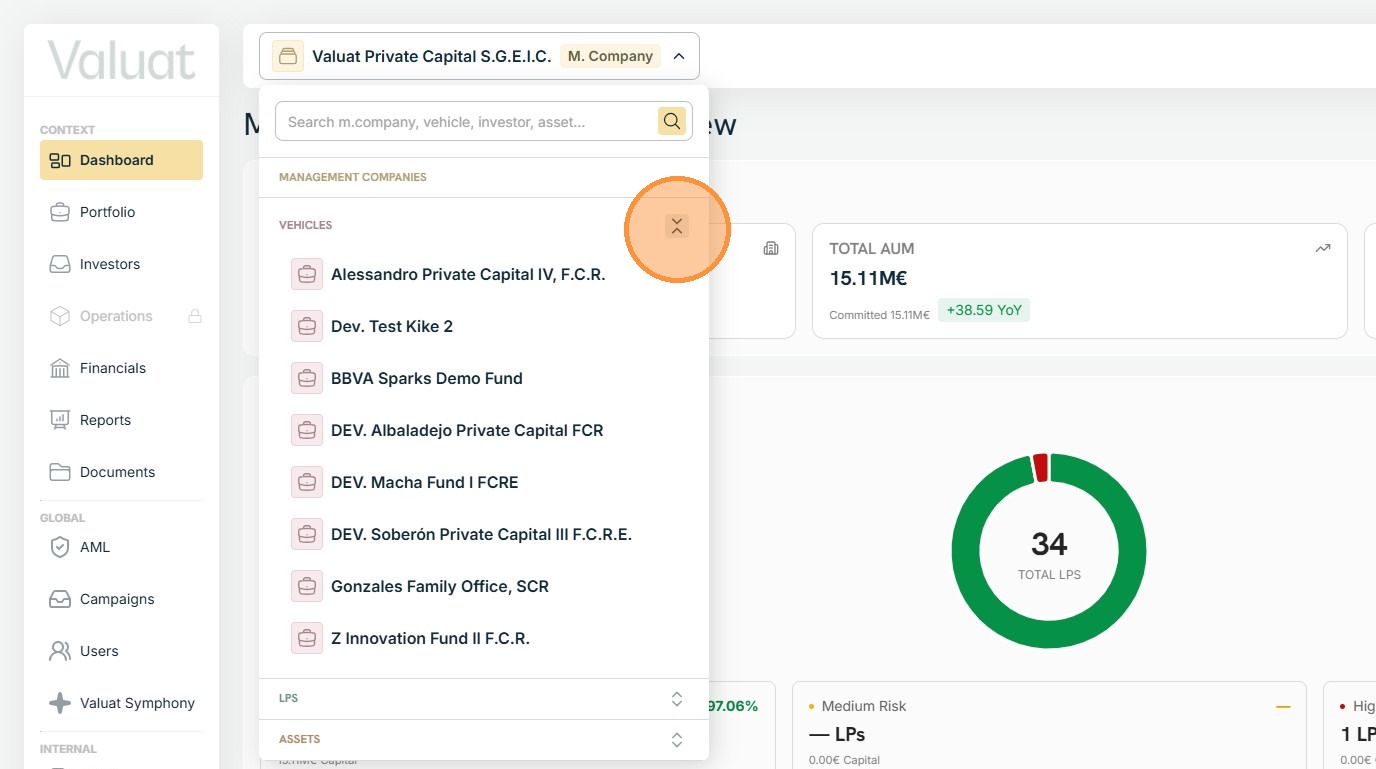
4. To view additional items, tap the highlighted symbol to expand the list.
5. Click again to collapse.
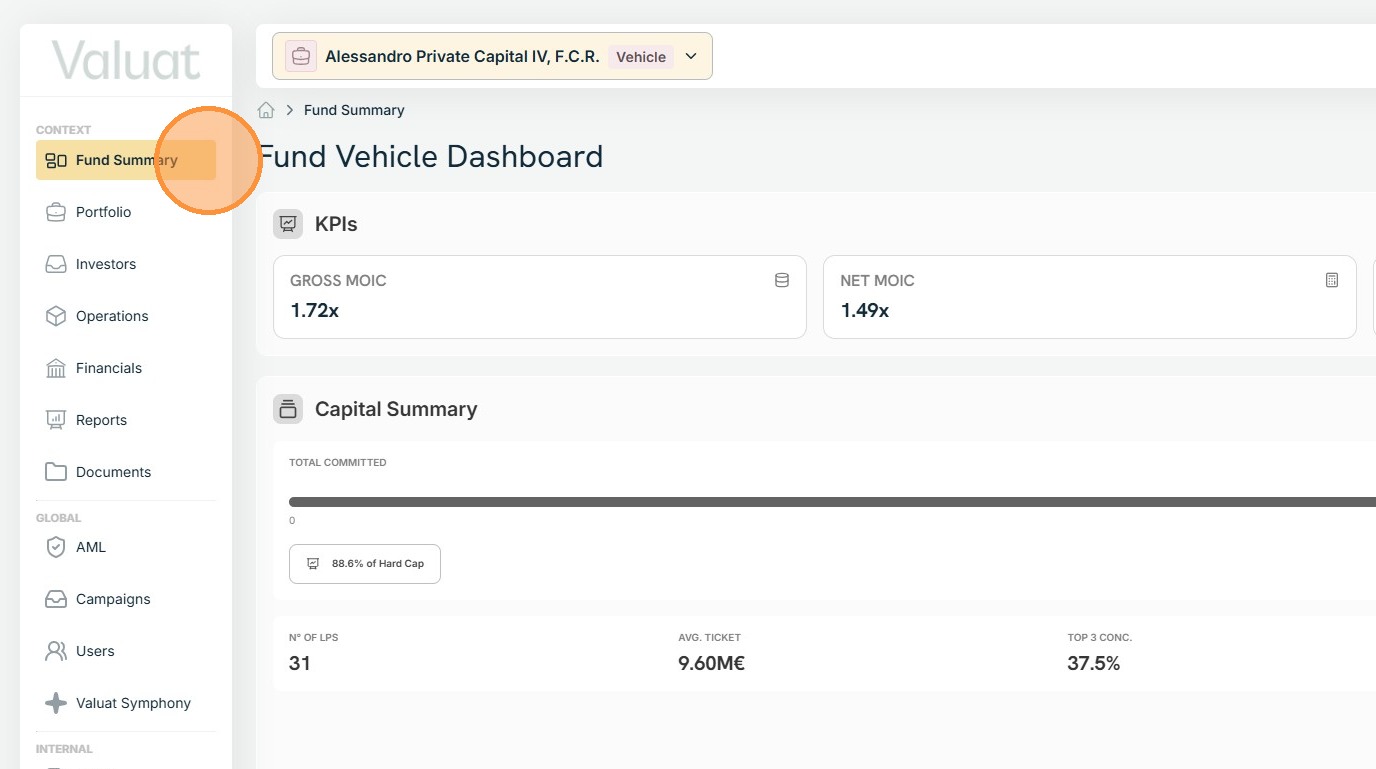
6. The menu on the right updates based on the chosen investment entity, activating and deactivating the appropriate items.
Below is a screenshot showing what happens when a vehicle is selected.
7. That's all you need to know.
Pick your target entity through the searchbox located at the top.
Navigate the available context by using the left-hand menu.